Royal CV
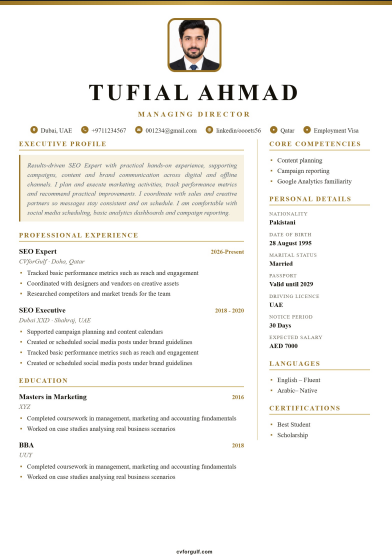
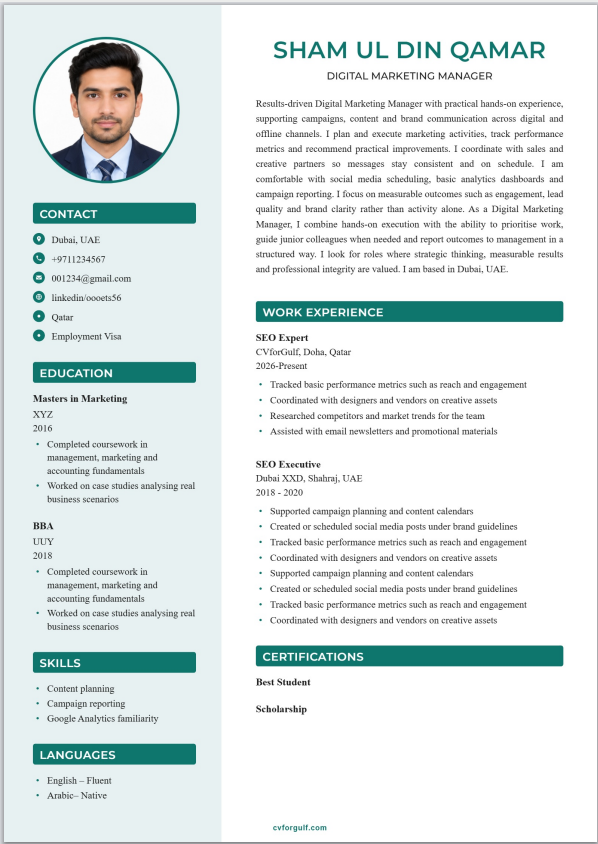
Centred header with gold gradient rules for a premium executive look. Premium Gold tier.
- Built for Gulf & Pakistan applications
- Clear section headings for ATS screening
- Optional profile photo (on/off in builder)
- Export PDF after you fill your details
- Included with Premium Gold packages
Your personal details stay the same across designs — only the layout changes when you switch templates in the builder.
Royal is for when you want the CV to feel deliberate the moment it opens. Centred header. Gold gradient rules. Calm spacing. It is a Premium Gold template on CVforGulf, aimed at specialists and managers who still need clear text underneath the polish.
What is the Royal CV template?
Royal centres your name and title, then guides the eye with gold-toned rules and a balanced two-area structure. Contact and supporting details stay readable. Experience keeps a professional timeline feel without crowding the page.
Select Royal in the builder when your plan includes Premium Gold templates. Switch from another layout without retyping every section.
Who Royal is for
- Senior specialists and managers applying in the GCC
- Candidates who want a premium gold cv template for recruiter email
- Profiles where first impression on screen matters as much as keywords
- Users comparing executive-style headers with sidebar designs
- Pakistan-based professionals presenting a high-trust English CV for Gulf roles
Centred header and gold rules
A centred header feels formal. Gold rules separate sections without loud shapes. You can adjust rule strength in Design options. If a process is strict about plain files, keep a simpler export ready as well.
Layout at a glance
- Centred name and target title
- Gold header rules — optional thickness
- Column divider options for structure
- Summary and experience with room for strong bullets
- Skills, education, languages, certificates
Premium Gold access
Royal is mapped to Premium Gold tier on CVforGulf. That tier is for users who want the highest visual templates plus plan limits described on Pricing. Free and Gold templates cover most everyday applications; Royal is the step up for selective processes.
Content still carries the offer
Premium design cannot replace proof. Write bullets that show scope: budgets, teams, regions, systems, outcomes. Keep the summary tight. Align LinkedIn with the same title story using the LinkedIn builder so recruiters do not see two different people.
Royal vs Gold Standard and Prime
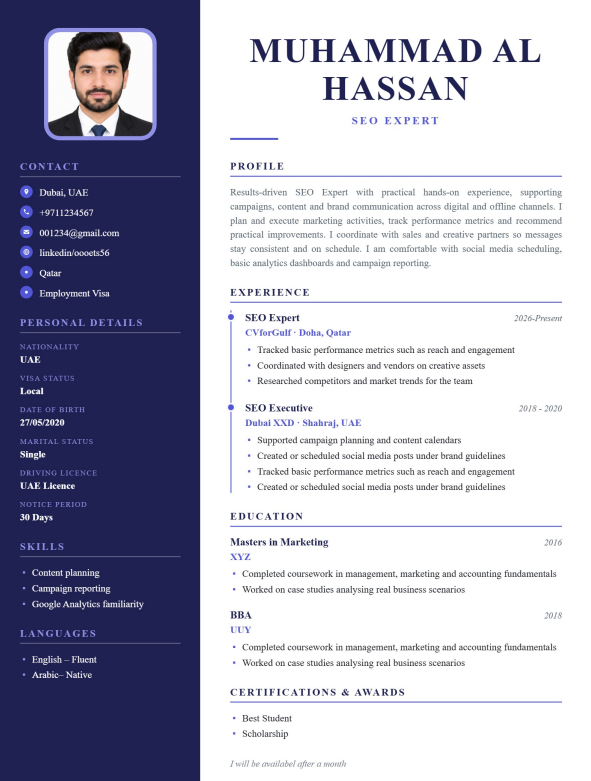
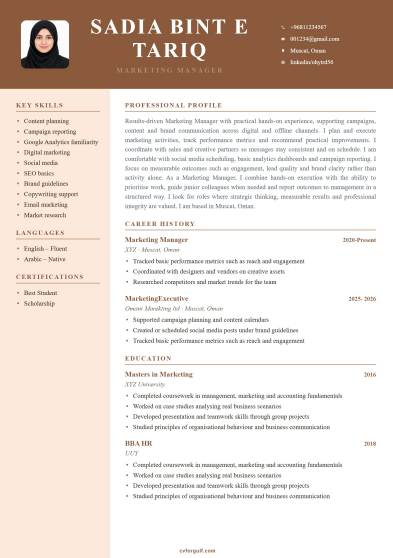
Royal emphasises a centred, formal header and gold rules. Gold Standard uses a ribbon and boxed personal details. Prime Sidebar puts weight in a dark sidebar. Try each with your real content in the preview before you decide.
Gulf application tips with a premium template
- Match the header title to the vacancy language.
- Keep eligibility details accurate and short.
- Do not overload the page with decorative lines in the content itself.
- Export PDF and open it on your phone to check spacing.
- For rigid portals, submit a single-column version of the same facts.
Trust and honesty
CVforGulf focuses on Gulf and Pakistan job markets. We provide templates, tools and optional expert writing. We do not place you in a job. Your dates and claims must be true. That is the fastest way to lose trust in regional hiring if something does not check out.
Checklist
- Premium look still prints cleanly to PDF
- Gold rules are not colliding with long headings
- Contact lines are complete
- Experience depth matches the seniority of the design
- Optional brand footer is on or off as you prefer
FAQ: Royal CV
Is Royal free?
No. It is a Premium Gold template. Free and account-tier templates remain available without that upgrade.
Will every ATS love a premium layout?
Not always. Use Royal when people open the file. Keep a simpler template for difficult upload forms.
Can I change colours?
Yes. Design controls in the builder adjust accent, fonts and related options across templates.
Open Royal
If your plan includes Premium Gold, build one careful version and tailor the title and summary per application.
Create a Royal CV → · Premium Gold plans → · Compare all templates →
How to use this template on CVforGulf
- Open the builder with the primary button above (sign up if this design requires a free account).
- Enter your details — summary, experience, education, skills and optional photo.
- Download PDF (and DOCX when eligible) and apply to Gulf or Pakistan roles.
Frequently asked questions
Is this CV template ATS-friendly?
Yes. CVforGulf templates use clear section headings, standard fonts and structured text so applicant tracking systems used by Gulf and Pakistan employers can read your content reliably.
Can I download this template as PDF and Word?
Yes. After you fill your details in the builder you can export PDF and, when signed in with an eligible account, DOCX — with the same content structure as the live preview.
Is a photo required for Gulf CVs?
Many Gulf employers expect a professional photo; Pakistan applications vary by industry. This template supports an optional photo you can turn on or off in the builder.
Who can use this template?
This design is part of our Premium Gold plans. See Pricing for package limits, or start with a free template first.
Related CV templates
Ready to build your CV?
Start with this design or explore free and Gold templates for Gulf careers.