Many people apply on Bayt for jobs in the UAE, Saudi Arabia and the wider Gulf. A good CV still fails if the upload is messy. These Bayt CV upload tips keep the steps simple.
This page uses short sentences. It is a checklist, not a long lecture.
What Bayt is used for
Bayt is a major job site for the Middle East and North Africa. Employers and recruiters search profiles and CVs there. Your file and your online profile both matter.
Always read the live instructions on Bayt.com. Sites change buttons and rules over time. This guide covers habits that stay useful.
Before you click Upload
- Finish a clear Gulf-style CV offline first.
- Use normal section titles: Summary, Experience, Education, Skills.
- Add phone number with country code.
- Add a short visa or location line if it helps (see visa status on UAE CVs).
- Export a clean PDF for most cases. Keep Word ready if the form asks for it.
Build the file in our free CV maker. Pick a simple layout from templates. For structure, read Gulf CV format.
File checklist
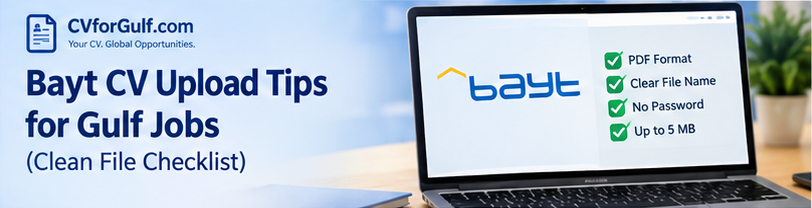
- File name:
Firstname_Lastname_CV.pdf(easy to find) - No scanned image of a paper CV
- No huge file size if you can avoid it
- Text you can select with the mouse (not only a picture)
- One or two pages for most roles
Fancy charts and text inside images often break when software reads the CV. Prefer plain lists for portal uploads. Test with ATS readiness check after you save a version in your account.
Match your Bayt profile to your CV
Recruiters may open both. Keep the same:
- Job titles
- Company names
- Start and end dates
- City and country
- Email and phone
If your profile says “Manager” and your CV says “Assistant”, trust drops fast.
Update LinkedIn the same way. Use the LinkedIn profile maker and our Gulf LinkedIn headline tips.
Keywords without copying the whole ad
Read the job post. Note the main tools and skills. Put the ones you truly have in your skills list and in a few experience bullets. Do not paste the whole advert into your CV.
More help: skills section for Gulf CV. For one job at a time, JD match can show gaps on supported plans.
Photo on Bayt uploads
Some Gulf CVs use a photo. Some systems prefer a plain file. If the upload looks broken, try a version without a photo. See photo on CV for Saudi Arabia for when a picture helps or hurts.
After you upload
- Open the preview if Bayt shows one
- Fix any missing sections in the profile forms
- Apply to roles that match your real experience
- Do not pay random people who promise a “guaranteed” Bayt job
You can also apply on company sites and on GulfTalent. Use the same clean CV.
Country pages
Adjust the top of the CV for the country:
- UAE CV format
- Saudi CV format
- Pakistan CV format for local roles
Conclusion
Good Bayt CV upload tips are simple: clean text file, honest facts, matching profile, and keywords you can defend. Prepare the CV on CVforGulf, upload carefully on Bayt, and keep your story consistent everywhere.
Frequently Asked Questions
What file type should I upload to Bayt?
Follow the options on the Bayt upload screen. PDF is common for fixed layout. Some forms also accept Word. Use a clean, text-based file—not a scanned photo of a CV.
Should my Bayt profile match my CV?
Yes. Use the same job titles, dates and contact details. Different facts confuse recruiters.
Can I use a designed two-column CV on Bayt?
A simple layout is safer for automated reading. You can keep a designed PDF for email if a person asks for it.
Ready to improve your application documents?
Start with a free CV or LinkedIn draft on CVforGulf — built for Gulf and Pakistan hiring.
Create free CV →